Image to Video AI Generator
Animate photos into short HappyHorse AI videos with prompt-guided motion, camera moves, and stronger subject stability across the HappyHorse image-to-video workflow.
Source Images (max 9)
Drop image files
or click to browse
Images containing real people are not supported at the moment.
Desktop Example
Real-person-safe workflow for HappyHorse 1.0
Direct source images with real people are not supported right now. Convert the live-action photo into a stylized illustration first, then animate that transformed image with HappyHorse 1.0.
Step 1
Restyle the original photo with NanoBanana Pro.
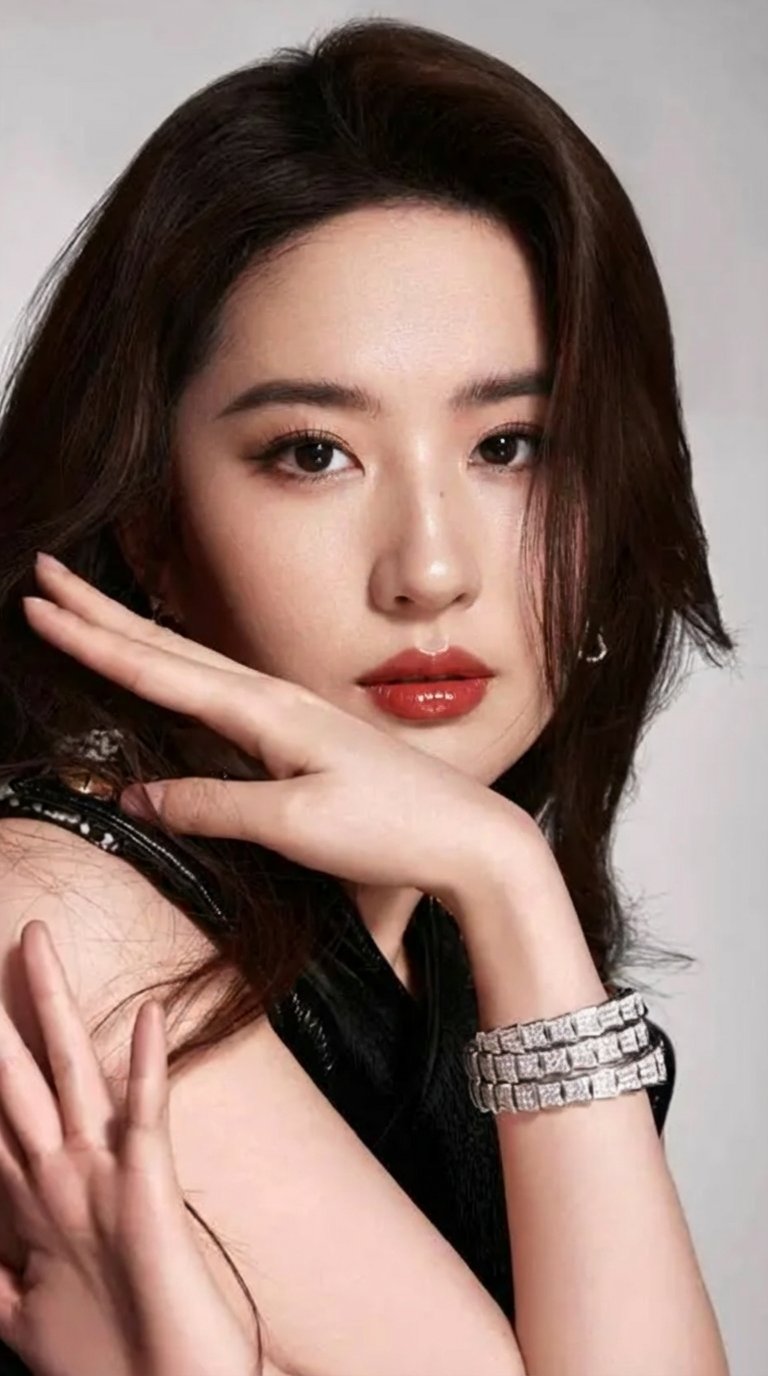
Original live-action photo
Not supported as a direct source image.
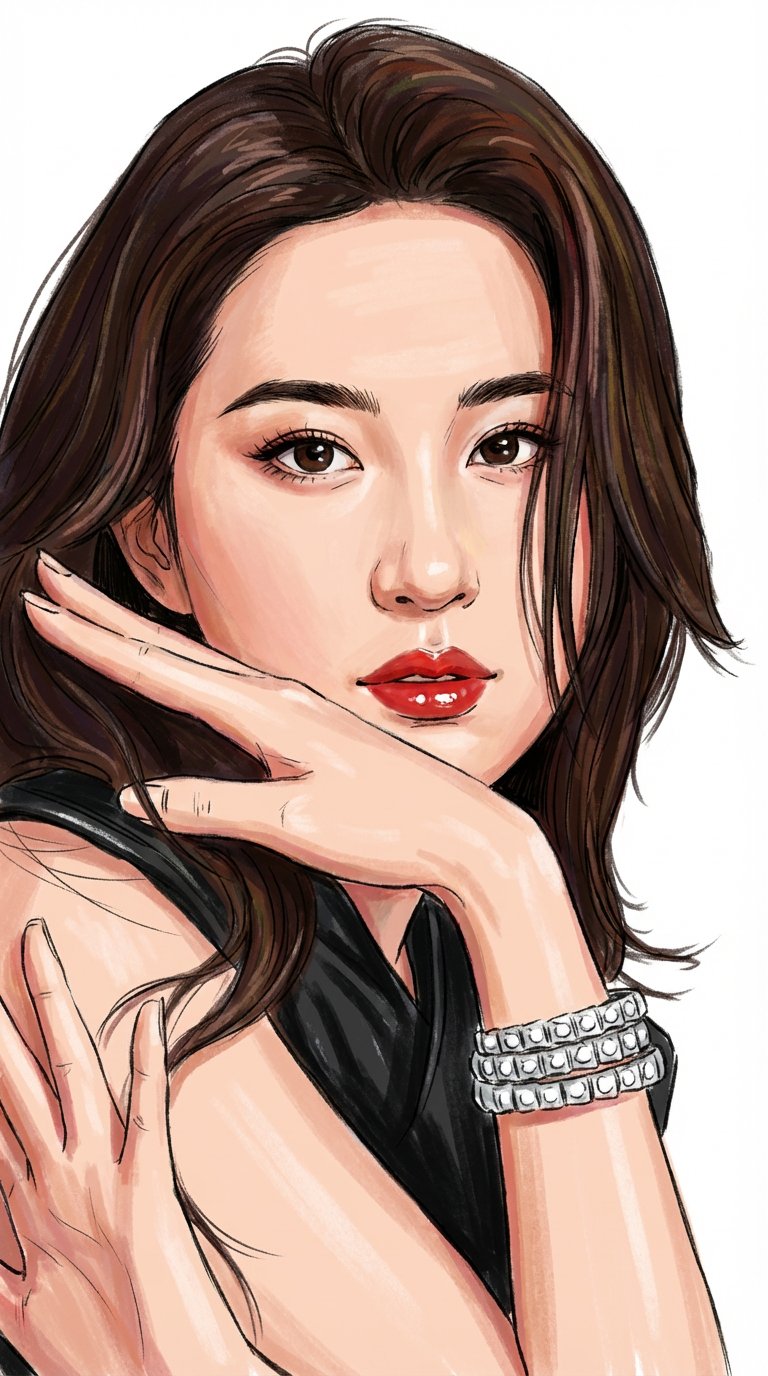
NanoBanana Pro output
Safe to use as the HappyHorse 1.0 source image.
Prompt
Convert to a hand-drawn storyboard illustration style, with characters in full color (ensure the characters’ facial features remain consistent with the reference, and their clothing colors and styles stay unchanged), on a white background.
Step 2
Use the transformed illustration as the source image in HappyHorse 1.0, and start the prompt with Live-action filming.
HappyHorse 1.0 Prompt
Use the transformed illustration as the source image in HappyHorse 1.0, and keep the live-action direction at the beginning.
Prompt
Live-action filming. Live-action short drama, modern aesthetics, cinematic feel, purely modern fashionable dresses, fragmented minimalist style.
HappyHorse 1.0 can generate from an image with or without a prompt.
First frame uses your primary reference image above. You can optionally add an end frame as last_frame.
Reference Videos (max 3, total 15s)
Reference Audios (max 3, total 15s)
One URL per line. Publicly accessible URLs only.
Inspiration
View AllHow it Works
Start with a Prompt, Script, or Reference
Describe a shot in natural language or upload a keyframe to begin HappyHorse text-to-video or image-to-video generation with stronger creative direction and multilingual prompt support.
Direct Motion, Expression, and Camera Intent
Use HappyHorse AI to refine camera movement, facial acting, body motion, pacing, and visual consistency so each generation stays closer to your intended human-centric scene.
Export Clips for Production Workflows
Download polished HappyHorse clips for ads, social campaigns, product launches, explainers, digital-human videos, storyboards, and other production workflows.
Image to Video AI Generator FAQ
Our AI video generator supports JPG, PNG, WebP, and HEIC formats. Images should be at least 512x512 pixels for best results.
Standard outputs are short clips for fast creation, with longer durations available on select plans.
Describe simple camera motion (pan, zoom, dolly) and subtle subject movement. Start with small changes, then iterate on your prompt and motion strength.
Standard output is HD. Higher resolutions may be available on select models and plans.
Batch generation is supported on select plans. Upload multiple images and generate sequentially.
Yes. Use our video to image tool to extract frames, then animate them with image to video.
You can start free with credits. Paid plans include more credits and higher limits.
It means we try to preserve creative flexibility while enforcing our content policy. Illegal content is prohibited, and you must have rights to any content you upload or reference.
Ready to create with HappyHorse AI?
Upgrade for faster queues, higher usage, longer generations, and more credits across your HappyHorse AI video workflow.