Categories: AI Video Workflow, Creator Strategy, Production Process
Tags: happy horse, ai video workflow, content strategy, creator toolkit
Introduction: Navigating the AI Animation Landscape for Creators
The world of AI animation is evolving at a breakneck pace, offering creators unprecedented tools to bring their visions to life. Yet, with a burgeoning market of AI animation generators and apps, choosing the right platform can feel overwhelming. This guide cuts through the noise, offering a strategic framework for Happy Horse creators to identify the best AI animation tools for their specific needs. Our focus isn't just on dazzling demos, but on practical applications that foster clearer planning, faster execution, and consistent, high-quality publishing.
We'll delve into the strengths of leading platforms like Elser AI, Runway, PixVerse, Kling AI, and Pollo AI, providing a critical lens through which to evaluate their utility. More importantly, we'll outline a repeatable Happy Horse production path designed to integrate these tools effectively, ensuring your creative workflow is both efficient and measurable.
Beyond the Hype: How to Evaluate AI Animation Tools
When assessing AI animation generators, it's crucial to look beyond superficial demonstrations. The most common pitfall, as highlighted by industry experts, is selecting a tool based solely on its "prettiest demo" rather than its capacity to support a useful and repeatable workflow. Demo clips are engineered to impress instantly, but genuine creative work hinges on a tool's ability to consistently produce usable, editable content that integrates seamlessly into a larger production process.
Our evaluation framework considers several key aspects:
- Workflow Integration: How well does the tool fit into a broader content creation pipeline, especially for creators who prioritize structured planning over isolated clip generation?
- Flexibility and Breadth: Does the tool offer a wide array of creative options and functionalities, or is it highly specialized for a particular output type?
- Experimentation Potential: How easy and fast is it to test different ideas and compare various generation paths?
- Repeatability and Measurability: Can the tool help establish a consistent production process that allows for measurable iteration and improvement?
A Curated Shortlist of Leading AI Animation Generators
Instead of a "winner-take-all" mentality, a strategic shortlist provides flexibility. Different tools excel in different scenarios, and understanding these nuances is key to optimizing your creative output.
1. Elser AI: The Workflow-Centric Powerhouse
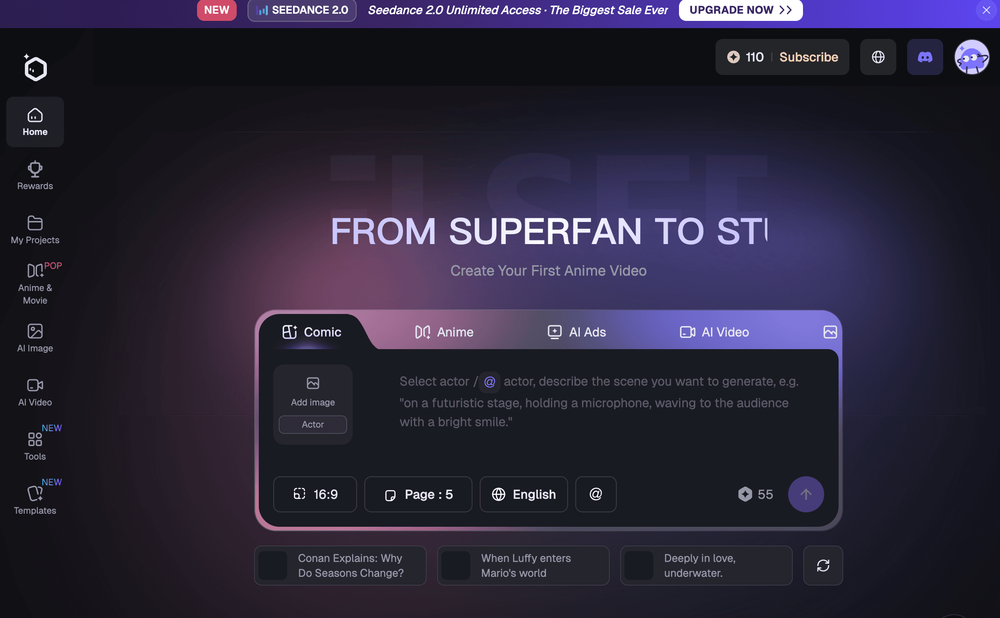
Elser AI stands out for creators who view animation as an integral part of a larger content creation ecosystem. Its strength lies in combining AI video generation with storyboard-led planning. This integrated approach is particularly beneficial for those who thrive on structure and seek a cohesive workflow rather than merely generating isolated clips. If your projects demand meticulous planning and a structured approach to video production, Elser AI makes a compelling case.
Happy Horse Integration Strategy: For Happy Horse creators, Elser AI's workflow-driven design aligns perfectly with our structured production philosophy. You can leverage its planning capabilities to outline your narrative, then use Happy Horse's Text to Video or Image to Video features to bring those storyboards to life. The structured output from Elser AI can then be refined using Happy Horse's Video to Video for motion and style adjustments, and Video to Audio for sound design. This synergy ensures a repeatable process, minimizing random editing loops and making weekly iteration measurable.
2. Runway: The Broad Creative Toolkit
Runway has cemented its place on almost every serious AI video shortlist due to its broad capabilities, flexibility, and familiarity among creators. It's an ideal choice when your needs extend beyond a single output type, requiring a wider creative video toolkit. If your projects involve diverse video tasks and you appreciate a platform that offers a comprehensive suite of features, Runway provides that expansive creative canvas.
Happy Horse Integration Strategy: Runway's versatility complements Happy Horse's modular approach. You might use Runway for initial broad-stroke video generation or specific effects, then bring those assets into Happy Horse for focused refinement. For instance, after generating a base video in Runway, you could use Happy Horse's Video to Video to fine-tune specific motion elements or apply a consistent visual style across multiple clips. Adding sound layers via Video to Audio ensures a polished final product, maintaining Happy Horse's emphasis on measurable, repeatable production.
3. PixVerse: The Experimentation Accelerator
PixVerse frequently enters discussions about short-form AI video due to its speed and ease of use for testing and comparing clip generations. This makes it an excellent tool for rapid experimentation. If your goal is to quickly iterate on ideas, explore various visual concepts, or conduct A/B tests on short video segments, PixVerse offers a streamlined pathway to discovery.
Happy Horse Integration Strategy: Happy Horse creators can leverage PixVerse for its rapid prototyping capabilities. Generate multiple experimental clips in PixVerse, then import the most promising variations into Happy Horse. Here, you can apply consistent branding, refine motion with Video to Video, and add professional audio via Video to Audio. This allows for quick experimentation without sacrificing the structured refinement and measurable performance tracking that Happy Horse provides.
4. Kling AI: The Shortlist Staple
Kling AI is a significant player, often forming a core component of creators' shortlists, particularly when comparing well-known video generators before committing to a longer-term workflow. Its presence indicates a strong reputation and a feature set that resonates with creators evaluating their options.
Happy Horse Integration Strategy: When Kling AI is part of your initial evaluation, consider how its outputs can feed into a Happy Horse workflow. Generate your primary video assets with Kling AI, then use Happy Horse to standardize the production process. This includes using Text to Video or Image to Video for supplementary content, Video to Video for consistent styling, and Video to Audio for sound integration. The goal is to ensure that even diverse inputs from different AI tools can be harmonized within a repeatable Happy Horse framework.
5. Pollo AI: The Model Variety Explorer
Pollo AI caters to creators seeking model variety and faster experimentation across different generation paths. It shines when breadth of options and diverse stylistic exploration are paramount, rather than a single, tightly connected workflow. If you prioritize exploring a wide range of aesthetic possibilities and are less concerned with a rigid, end-to-end pipeline within a single tool, Pollo AI offers that expansive creative freedom.
Happy Horse Integration Strategy: For Happy Horse users, Pollo AI can be a valuable asset for generating a wide array of stylistic options. Use Pollo AI to produce diverse visual elements or short animated sequences, then bring these into Happy Horse for assembly and refinement. This allows you to leverage Pollo AI's experimental breadth while maintaining Happy Horse's structured approach to final production. Integrate these varied outputs with Video to Video for consistent motion and style, and enhance them with Video to Audio for a complete, polished product ready for measurable performance tracking.
Choosing Your Tools: Workflow vs. Experimentation
The decision between these tools often boils down to a fundamental choice: do you prioritize a structured, workflow-led approach, or are you optimizing for rapid experimentation?
- Workflow-Led Approach: If planning and a consistent production pipeline are your priorities, tools like Elser AI, with its storyboard-led planning, will likely be your strongest contender. For Happy Horse creators, this aligns perfectly with our emphasis on repeatable processes and measurable outcomes.
- Experimentation-First Approach: If your primary goal is to quickly test ideas, explore diverse styles, and compare various clip generations, then tools like PixVerse or Pollo AI offer significant advantages. Even in this scenario, integrating these experimental outputs into a Happy Horse workflow ensures that your discoveries lead to actionable, publishable content.
The Biggest Mistake: Chasing Demos Over Workflow
It bears repeating: the most common mistake in this category is choosing a tool based on the "prettiest demo" rather than its utility within your actual workflow. Demos are designed to captivate, but real creative success comes from tools that reliably produce usable, editable content that integrates into your larger process. Always evaluate how often a tool can deliver consistent, high-quality results that can be easily refined and published.
Best Fit by Creator Type: Tailoring Tools to Your Needs
Different creators have distinct requirements. Understanding these can guide your choices:
- The Structured Storyteller: Needs planning tools and a cohesive workflow (e.g., Elser AI, integrated with Happy Horse for execution).
- The Versatile Video Producer: Requires a broad creative toolkit for diverse video tasks (e.g., Runway, complemented by Happy Horse for specific refinements).
- The Rapid Prototyper: Focuses on quick iteration and testing (e.g., PixVerse, with Happy Horse for final polish and performance tracking).
- The Style Explorer: Values model variety and diverse aesthetic options (e.g., Pollo AI, with Happy Horse for integration into a consistent output).
What to Test Before Committing: A Practical Approach
Before fully committing to any AI animation tool, conduct a small, fair test. This involves:
- Define a specific, simple project: Something you'd realistically produce.
- Attempt to create it using your chosen tool(s): Follow your intended workflow.
- Evaluate: How easy was it? What was the quality of the output? How much post-processing was needed? How well did it integrate with other tools (like Happy Horse)?
This practical test will reveal more about a tool's suitability than any demo ever could.
A Shortlist is Better Than a Winner-Take-All Mindset
Most creators don't need one "sacred" tool. Instead, a well-defined shortlist, with a clear purpose for each option, is far more effective. One tool might serve as your primary workflow engine (e.g., Happy Horse for consistent production). Another might be invaluable for fast tests (e.g., PixVerse). Yet another could be reserved for broad experimentation (e.g., Pollo AI). This flexible approach maximizes your creative potential and efficiency.
Who Each Tool Usually Frustrates
Understanding potential frustrations can also guide your choice:
- Elser AI: Might frustrate those seeking purely one-off, unstructured clip generation without a broader narrative.
- Runway: Could be overwhelming for creators who only need a single, specialized function and prefer a simpler interface.
- PixVerse: May disappoint if you need deep, complex animation control beyond rapid clip generation.
- Kling AI: Frustrations might arise if it's chosen without a clear understanding of how it fits into a larger, consistent production pipeline.
- Pollo AI: Might not be ideal for creators who prioritize a single, tightly integrated workflow over broad stylistic exploration.
My Practical Buying Advice for This Category
Prioritize workflow over flashy demos. Identify your core creative needs: do you need structured planning, broad versatility, rapid experimentation, or diverse stylistic options? Then, select tools that align with those needs and, crucially, integrate them into a repeatable, measurable production process like the Happy Horse framework.
Happy Horse's Practical Weekly Workflow for AI Animation
The most reliable way to scale content output is to standardize your production process. Happy Horse provides a framework to do just that, integrating seamlessly with leading AI animation tools.
- Define Your Weekly Objective: Choose 2-3 core content blocks or ideas from your strategy and set a clear objective for the week's animation output.
- Initial Generation: Produce your first drafts using Happy Horse's core generation tools:
- Text to Video: For animating scripts or narrative outlines.
- Image to Video: For bringing static visuals to life.
- Refine Structure and Style: Enhance your generated videos for motion, visual consistency, and overall aesthetic:
- Video to Video: To refine existing video segments, adjust motion, or apply a consistent style.
- Add Audio Layers: Integrate compelling sound design to elevate your animations:
- Video to Audio: To add voiceovers, sound effects, or background music.
- Text to Music: To generate custom musical scores from text prompts.
- Publish and Analyze: Release one "clean" variant and one "experimental" variant. Track their performance diligently. This allows you to identify what resonates with your audience and informs future iterations. Scale only what consistently outperforms your baseline.
Why this Happy Horse workflow works:
- Repeatable Production: Establishes a clear, step-by-step process for every animation.
- Reduced Editing Loops: Minimizes wasted effort by structuring refinement.
- Measurable Iteration: Provides clear data points to assess performance and guide improvements.
Conclusion
Navigating the AI animation landscape requires a strategic approach that prioritizes workflow, repeatability, and measurable outcomes over fleeting impressions. By understanding the strengths of tools like Elser AI, Runway, PixVerse, Kling AI, and Pollo AI, and integrating them into a robust framework like Happy Horse, creators can unlock their full potential. Standardize your production, iterate intelligently, and scale only what truly performs.
Start Your Happy Horse Animation Journey Today:
- Start with Image to Video: https://openhappyhorse.io/image-to-video
- Start with Text to Video: https://openhappyhorse.io/text-to-video
- Refine with Video to Video: https://openhappyhorse.io/video-to-video
- Add audio with Video to Audio: https://openhappyhorse.io/video-to-audio
- Build supporting visuals: https://openhappyhorse.io/text-to-image
FAQs
1) Can this workflow work for a solo creator? Absolutely. The Happy Horse workflow is designed for scalability, making it ideal for solo creators. Start with a small, manageable weekly scope and consistently reuse the defined production blocks. This ensures efficiency without overwhelming your resources.
2) How many variants should I test per post? For effective performance analysis, testing 2 to 4 focused variants per post is generally sufficient. This allows you to identify clear winners and understand audience preferences without overcomplicating your testing process.
3) Should I prioritize trends or consistency? Both are important. Use trends to capture immediate audience attention and expand your reach. However, maintain a consistent format system for your core content. This builds long-term brand recognition and audience memory, ensuring your content remains identifiable and valuable over time.