Categories: AI Video Workflow, Creator Strategy, Production Process
Tags: happy horse, ai video workflow, content strategy, creator toolkit
Introduction: The Sound Revolution in AI Video
For too long, AI-generated video has been a silent film. While visual fidelity has soared, the absence of synchronized, contextually relevant audio has been a significant hurdle for creators seeking truly immersive and professional-grade content. Happy Horse, leveraging the advancements in Veo 3, is changing this narrative. This guide delves into Veo 3's groundbreaking native audio generation capabilities, offering a comprehensive framework for Happy Horse users to integrate sound seamlessly into their AI video workflows.
We'll explore how Veo 3 generates audio, best practices for audio prompting, critical quality considerations, and how to integrate this powerful feature into both rapid prototyping and high-stakes professional productions. The goal is to empower Happy Horse creators with the knowledge and tools to produce not just visually stunning, but also acoustically rich and engaging AI video content.
The Paradigm Shift: Veo 3's Integrated Audio Generation
Historically, most AI video models produced silent footage, leaving creators to painstakingly add sound in post-production. This often led to a disconnect between visuals and audio, requiring significant effort to achieve natural synchronization. Veo 3 marks a significant departure from this norm.
What Makes Veo 3 Audio Generation Unique
Veo 3 stands out as one of the first commercially available AI video models to generate synchronized audio as an intrinsic part of the video creation process. This is not merely an add-on; it's a fundamental integration that redefines the AI video workflow.
Happy Horse Workflow Impact:
- Unified Creation: Instead of generating video and then separately sourcing or creating audio, Veo 3 allows for a single, cohesive generation step. This streamlines the initial creative phase significantly.
- Enhanced Realism: By generating audio concurrently with video, Veo 3 can better understand the visual context, leading to more natural and synchronized soundscapes.
- Reduced Post-Production Burden: For many applications, the natively generated audio from Veo 3 will be production-ready, eliminating the need for extensive audio editing.
Happy Horse Execution Path:
- Begin your creative process in Text to Video or Image to Video. Focus on both visual and auditory descriptions in your initial prompts.
- Utilize Video to Video for refining motion and style, knowing that the underlying audio synchronization will largely be preserved.
- For specific audio enhancements or replacements, leverage Video to Audio as needed.
- Publish a primary, polished variant and an experimental version to compare performance and iterate effectively.
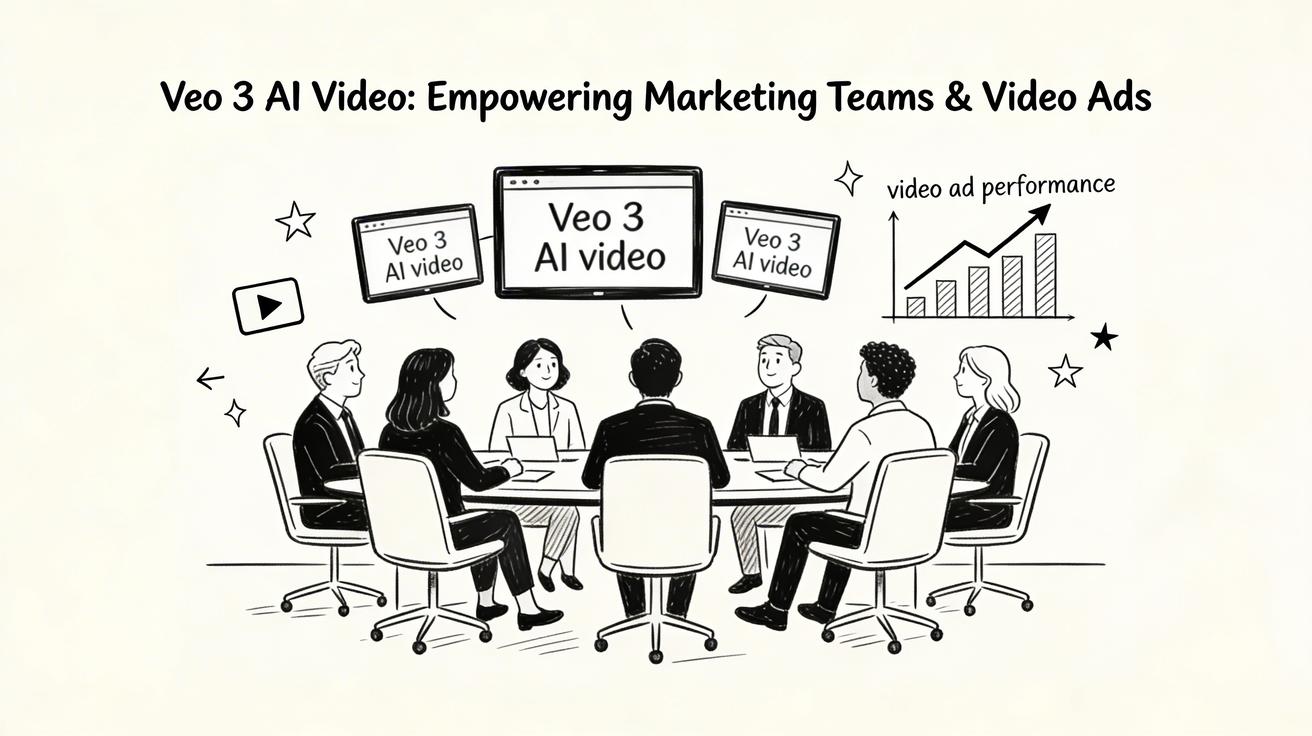
This integrated approach keeps production repeatable, minimizes unnecessary editing loops, and makes weekly iteration measurable, allowing Happy Horse creators to consistently improve their output.
How Veo 3 Audio Generation Works
The magic behind Veo 3's synchronized audio lies in its foundational architecture. Veo 3's audio generation is not a separate module but an integral component of the same multimodal model responsible for video generation.
The Training Advantage: The model was extensively trained on vast datasets of video-audio pairs. This rigorous training allowed it to learn the intricate relationships between visual events and their corresponding sounds. For instance, it understands that a visual of rain typically accompanies the sound of falling droplets, or that a bustling street scene should include ambient traffic and crowd noise.
Happy Horse Workflow Impact:
- Inherent Synchronization: Because the model learns visual and auditory cues simultaneously, the generated audio is inherently synchronized with the video, reducing the common problem of mismatched sound.
- Contextual Soundscapes: The model's understanding of video-audio relationships enables it to create contextually appropriate soundscapes, from subtle ambient noises to distinct sound effects.
Happy Horse Execution Path:
- When crafting your initial prompts in Text to Video or Image to Video, consider how the visual elements naturally translate into sound.
- Refine your video's motion and style using [Video to Video](https://openhappyhorse.io/video-to-video], trusting that the core audio synchronization will remain robust.
- Should specific audio layers require modification or enhancement, Video to Audio provides granular control.
- Always publish a clean variant and an experimental one to benchmark performance and learn from your iterations.

This integrated process fosters repeatable production, minimizes extraneous editing, and allows for quantifiable weekly improvements in your content.
Mastering Audio Prompting for Veo 3
The quality of your Veo 3 audio output is directly linked to the precision of your prompts. Just as you describe visual elements, you can now explicitly guide the AI in generating the desired soundscape.
Writing Prompts for Audio
When crafting prompts for Veo 3, think of the audio as another layer of description, intimately connected to the visual narrative. You can describe the audio you want directly alongside your visual descriptions.
Key Prompting Elements:
- Scene Description: Provide a vivid picture of the environment.
- Ambient Sound Description: Detail the background sounds that define the atmosphere.
- Sound Effects: Specify distinct sound events corresponding to visual actions.
Example: "Dense rainforest, morning light through canopy, birds singing, distant waterfall, gentle wind through leaves." Here, "birds singing," "distant waterfall," and "gentle wind through leaves" are explicit audio cues.
Happy Horse Workflow Impact:
- Creative Control: Gain greater control over the auditory experience of your AI-generated videos from the outset.
- Efficiency: Reduce the need for extensive post-production audio work by guiding the AI more effectively.
Happy Horse Execution Path:
- When initiating a project in Text to Video or Image to Video, dedicate a portion of your prompt to describing the desired audio environment and specific sound events.
- Use Video to Video to ensure the visual flow aligns with your intended audio narrative.
- For fine-tuning or adding specific sound elements, Video to Audio offers precise control.
- Always publish a clean version and an experimental one to compare results and refine your prompting techniques.
This structured approach ensures repeatable production, minimizes redundant editing, and enables measurable weekly improvements.
Audio Quality and Integration Considerations
While Veo 3's native audio generation is powerful, understanding its nuances and limitations is crucial for achieving optimal results, especially in professional contexts.
Audio Quality Considerations
To maximize the quality of Veo 3's generated audio, consider these factors:
- Acoustic Environment Specificity: Be highly specific about the acoustic character of the space. For example, "Recording studio with treated walls" will yield a different sound profile than "cathedral reverb" or "outdoor plaza with crowd noise." The more detail you provide, the better the AI can simulate the desired sonic space.
- Reliable Ambience: Environmental ambience such as wind, rain, water sounds, crowd noise, traffic, and general nature sounds are among the most reliable audio generation outputs from Veo 3. These elements are often consistent and predictable, making them ideal for AI synthesis.
- Complex Music Limitations: Currently, generating complex, melodic music with structured harmony remains a significant challenge for AI models. For content requiring intricate musical scores, it is generally advisable to add music in post-production rather than relying solely on AI generation. This ensures higher artistic quality and control over musical composition.
Happy Horse Workflow Impact:
- Strategic Prompting: Tailor your audio prompts to leverage Veo 3's strengths (ambience, specific environments) and mitigate its current limitations (complex music).
- Informed Post-Production: Understand when Veo 3's audio is sufficient and when external post-production is necessary.
Happy Horse Execution Path:
- When creating your initial video in Text to Video or Image to Video, prioritize detailed descriptions of ambient sounds and acoustic environments.
- If your project requires complex music, plan to integrate it using Video to Audio or external tools after generating the core video.
- Use Video to Video to ensure visual elements align with your planned audio strategy, whether AI-generated or externally sourced.
- Always publish a clean variant and an experimental one to assess the effectiveness of your audio prompting and integration strategies.
This approach promotes repeatable production, reduces unnecessary editing, and enables measurable improvements in your weekly content output.
Integrating Veo 3 Audio into Professional Workflows
Veo 3's generated audio offers flexibility for various professional applications, ranging from immediate use to serving as a robust foundation for further enhancement.
For Many Professional Applications: Veo 3's generated audio is often ready for direct use without modification. This is particularly true for content where ambient sounds, simple sound effects, or general environmental audio are sufficient to convey the scene. This can significantly accelerate production timelines for social media content, internal presentations, or rapid prototyping.
For Higher-Stakes Applications: When projects demand the highest fidelity or specific creative control over audio, Veo 3's generated audio can serve as an excellent starting point for enhancement or replacement.
Happy Horse Workflow Impact:
- Tiered Approach: Adopt a tiered approach to audio, using Veo 3's native output for efficiency where appropriate, and planning for post-production refinement when required.
- Foundation for Sound Design: Even if you plan to replace audio, Veo 3's synchronized output provides a valuable sonic blueprint, guiding your sound design choices.
Happy Horse Execution Path:
- Generate your initial video with audio using Text to Video or Image to Video.
- Review and Decide: Download the video file with its generated audio. Critically review the audio quality and synchronization.
- If sufficient: Proceed directly to publishing.
- If enhancement needed: Use Video to Audio to layer in additional sound effects, dialogue, or music.
- If replacement needed: Mute Veo 3's audio and integrate entirely new sound design in your preferred audio editing software, using the visual cues from the Veo 3 video.
- Refine visual elements with Video to Video while keeping your audio strategy in mind.
- Publish a clean variant and an experimental one to compare the impact of different audio integration strategies.
This workflow ensures repeatable production, minimizes redundant editing, and allows for measurable weekly improvements, adapting to the specific demands of each project.
Strategic Audio Workflows: Veo 3 vs. Post-Production
Creators now have a powerful choice: leverage Veo 3's integrated audio or opt for a silent video with full post-production sound design. Both approaches have distinct merits and are suitable for different production needs.
Audio Workflow: Veo 3 vs. Silent Video + Post
Many creators traditionally generate silent video and add all audio entirely in post-production. With Veo 3, this decision becomes a strategic one.
Veo 3's Integrated Audio Approach:
- Pros:
- Efficiency: Significantly faster initial output with synchronized sound.
- Contextual Accuracy: AI-generated audio is inherently tied to visual events.
- Reduced Complexity: Simplifies the workflow for creators without extensive audio editing skills.
- Ideal for: Rapid prototyping, social media content, internal communications, or projects where general ambient sound is sufficient.
- Cons:
- Limited Creative Control: Less granular control over specific sound design elements compared to manual post-production.
- Challenges with Complex Music: Not ideal for intricate musical scores or highly specific sound effects.
Silent Video + Post-Production Approach:
- Pros:
- Maximum Creative Control: Full command over every sound element, allowing for bespoke sound design.
- High Fidelity: Ability to use professional-grade sound libraries, custom recordings, and advanced mixing techniques.
- Flexibility: Can easily adapt to changing audio requirements or artistic visions.
- Cons:
- Time-Consuming: Requires dedicated audio production time and expertise.
- Synchronization Challenges: Manual synchronization can be tedious and prone to errors.
- Increased Cost: May require specialized software, hardware, or audio professionals.
- Ideal for: Feature films, commercials, high-budget productions, or projects demanding unique and precise audio.
Happy Horse Workflow Impact:
- Informed Decision-Making: Choose the audio strategy that best fits your project's budget, timeline, and creative requirements.
- Hybrid Approaches: Combine the best of both worlds – use Veo 3 for foundational audio and enhance or replace specific elements in post-production.
Happy Horse Execution Path:
- Initial Generation: Start with Text to Video or Image to Video.
- For Veo 3 Audio: Include detailed audio prompts.
- For Silent Video: Focus purely on visual prompts, planning for external audio integration.
- Refinement: Use Video to Video to perfect the visual narrative, irrespective of your chosen audio path.
- Audio Integration:
- Veo 3 Path: Review generated audio; use Video to Audio for minor tweaks if needed.
- Post-Production Path: Import silent video into an audio workstation and build your soundscape from scratch.
- Publishing: Always publish a clean variant and an experimental one to compare the effectiveness of different audio strategies.
This strategic choice ensures repeatable production, minimizes wasted effort, and allows for measurable weekly improvements tailored to your specific content goals.
Platform-Specific Audio Considerations
The optimal audio strategy can also depend heavily on the target platform. Different social media and distribution channels have unique audio cultures and technical requirements.
TikTok Example:
- Most successful TikTok content heavily relies on trending audio tracks rather than original, synchronized sound.
- Happy Horse Recommendation: Generate your content with Veo 3's environmental audio for internal review and initial context. Then, when publishing to TikTok, replace this original audio with trending tracks directly within the TikTok app editor. This leverages the platform's native engagement mechanisms while still benefiting from Veo 3's integrated visual-audio generation for creative development.
Happy Horse Workflow Impact:
- Platform Optimization: Tailor your audio strategy to maximize engagement and reach on specific platforms.
- Efficiency: Avoid unnecessary audio production for platforms where it will be replaced anyway.
Happy Horse Execution Path:
- When planning content for specific platforms, consider their audio conventions before generating.
- Use Text to Video or Image to Video to create the core video.
- If targeting platforms like TikTok, generate with Veo 3's ambient audio for a complete internal preview, but be prepared to replace it during platform-specific editing.
- Utilize Video to Video to ensure your visuals are compelling enough to stand out, regardless of the accompanying audio.
- Publish a clean variant and an experimental one, specifically testing the impact of platform-optimized audio choices on engagement metrics.
This adaptive approach ensures repeatable production, minimizes redundant effort, and enables measurable weekly improvements across diverse distribution channels.
Practical Weekly Workflow for Happy Horse Creators
To consistently produce high-quality AI video content with integrated audio, a structured and iterative workflow is essential.
- Define Weekly Objective: Select 2 to 3 core blocks from this guide (e.g., "Acoustic Environment Specificity," "Integrating Veo 3 Audio," "Platform-Specific Audio Considerations") and set a clear, measurable objective for the week.
- Initial Drafts: Generate your first video drafts using Text to Video or Image to Video. Pay close attention to both visual and audio prompts based on your weekly objective.
- Refine Visuals & Flow: Improve the motion, style, and overall visual narrative using Video to Video. Ensure the visuals align with your intended audio.
- Audio Integration & Enhancement:
- Review Veo 3's generated audio.
- If needed, add specific sound layers, dialogue, or music using Video to Audio or Text to Music.
- For complex music or high-stakes projects, plan for external post-production.
- Publish & Analyze: Publish one polished, "clean" variant and one "experimental" variant (e.g., with different audio prompts, post-production audio, or platform-specific audio). Track performance metrics and identify which formats consistently outperform your baseline.
- Iterate: Use the insights from your analysis to inform your next week's objectives and refine your prompting and production techniques.
Conclusion: Elevating AI Video with Sound
The integration of native, synchronized audio in Veo 3 represents a monumental leap forward for AI video creation. Happy Horse empowers creators to harness this capability, transforming silent visuals into rich, immersive experiences. By understanding how Veo 3 generates audio, mastering effective prompting techniques, and strategically integrating sound into your workflow, you can elevate your content to new professional standards.
The most reliable path to scaling content output is through standardization and iterative refinement. Establish a stable production structure, iterate on specific sections, and only scale what demonstrably performs well. Embrace the power of sound in your AI video journey, and watch your creations resonate more deeply with your audience.
Call to Action
Ready to bring your AI videos to life with sound?
- Start with Image to Video: https://openhappyhorse.io/image-to-video
- Start with Text to Video: https://openhappyhorse.io/text-to-video
- Refine with Video to Video: https://openhappyhorse.io/video-to-video
- Add audio with Video to Audio: https://openhappyhorse.io/video-to-audio
- Build supporting visuals: https://openhappyhorse.io/text-to-image
FAQs
1) Can this workflow work for a solo creator? Absolutely. The structured workflow is designed for efficiency. Start with a smaller weekly scope, focusing on 1-2 key objectives, and consistently reuse the same production blocks. This allows solo creators to build momentum and expertise without being overwhelmed.
2) How many variants should I test per post? For effective learning and optimization, testing 2 to 4 focused variants per post is usually sufficient. This allows you to identify clear winners and understand the impact of specific changes (e.g., different audio prompts, post-production enhancements, or platform-specific adaptations) without diluting your data.
3) Should I prioritize trends or consistency? A balanced approach is best. Use trending topics and audio (especially for platforms like TikTok) to maximize immediate reach and engagement. However, maintain a consistent format system and production process for your core content. This builds long-term brand memory, audience recognition, and allows for measurable iteration on your foundational content strategy.